
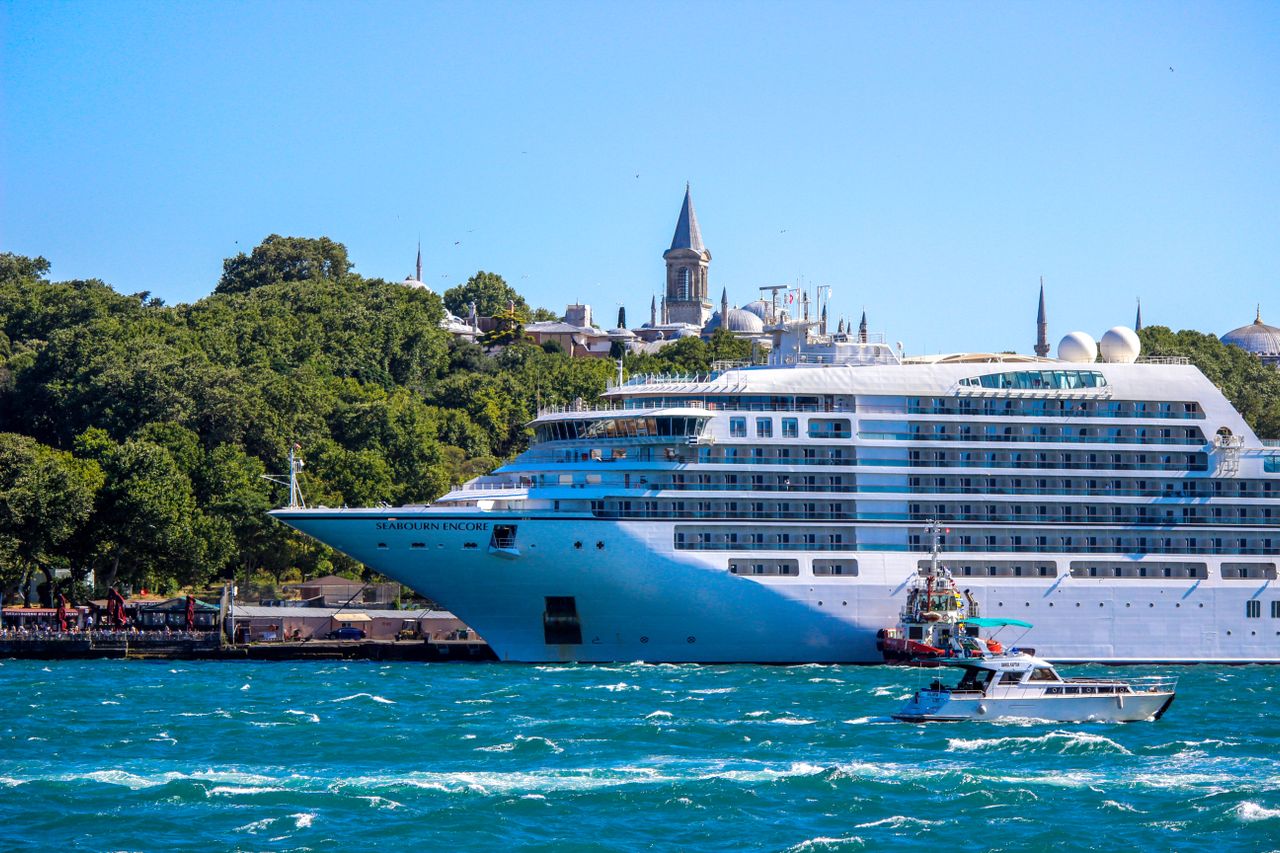
Embarking on a luxury cruise across the Mediterranean, the Caribbean, or the Arabian Gulf offers a relaxing holiday, until the post-trip mobile bill arrives. Every year, thousands of cruise passengers return home to find multi-thousand-dollar phone bills racked up over just a few days at sea. When your cruise liner navigates into international waters, your handset quietly switches from land-based telecom towers to high-cost maritime satellite transmitters that bill at uncapped pay-as-you-go rates. Avoid maritime billing traps, expensive cruise packages, and airport SIM kiosks by pairing ship Wi-Fi with the MobiMatter Regional Port & Coastal Travel Pass.
SMARTROAM
1. The 12-Nautical-Mile Boundary & The Maritime Satellite Switch
Understanding when your smartphone transitions from terrestrial mobile networks to offshore satellite nodes is critical for preventing bill shock:
- The 12-Nautical-Mile Legal Limit: Under international maritime law, a cruise vessel falls outside the sovereign jurisdiction of coastal nations once it sails beyond 12 nautical miles (approximately 22 kilometers) from shore. In accordance with maritime regulations, the ship shuts down or avoids terrestrial cellular signals and activates its onboard internal cellular antenna system.
- WMS & MCP Networks: Onboard cellular transceivers are managed by specialized offshore maritime carriers—primarily Wireless Maritime Services (WMS) or Telenor Maritime (formerly MCP). These systems link your phone directly to high-orbit geostationary satellite backhauls.
- The Unregulated Billing Trap: Unlike terrestrial roaming within the European Union (which enforces the “Roam Like at Home” price caps) or domestic flat-rate packages in North America and the GCC, maritime satellite connections operate in an unregulated international billing bracket. Standard domestic roaming passes (such as $10 or $12 daily roaming add-ons) almost universally exclude maritime and aeronautical satellite networks in their fine print.
- $10 to $20+ Per Megabyte: If your phone connects to a maritime picocell while data roaming is active, domestic operators bill data at non-standard satellite rates—averaging between $10.00 and $20.48 per single megabyte. An automated background sync of 100 MB from photo libraries, cloud backups, or social app refreshes will cost $1,000 to $2,000 USD within minutes.
2. Crucial Handset Radio Lock: Protecting Your Home SIM
Turning off “Cellular Data” in your quick-settings menu is not enough. System services and silent background processes frequently ping towers. Execute this strict handset radio protocol the moment your cruise ship unties from the dock:
Step 1: Enforce Airplane Mode at Sea
Toggle Airplane Mode ON while the vessel is still in the port channel before it clears the harbor mouth. Once Airplane Mode is active, manually toggle Wi-Fi ON to connect to the shipboard intranet or Starlink satellite Wi-Fi portal. This physically shuts off your cellular baseband transceiver, blocking any automated handshakes with WMS or MCP transponders.
Step 2: Disable Wi-Fi Assist / Adaptive Wi-Fi
Both Apple iOS (“Wi-Fi Assist”) and Android (“Adaptive Wi-Fi”) are engineered to automatically switch your data connection over to cellular whenever your Wi-Fi signal drops or experiences packet loss. On a cruise ship, weak Wi-Fi in an interior stateroom will trigger the phone to route data through the maritime satellite network. Turn this feature OFF under your device cellular settings before boarding.
Step 3: Pause Background Cloud Syncing
Set Apple iCloud Photos, Google Photos, OneDrive, and automatic app store updates to “Wi-Fi Only” or pause them entirely. Even over paid ship Wi-Fi, background cloud uploads consume expensive bandwidth quotas and can trigger phone failovers.
Step 4: Request Carrier Roaming Blocks
Call your domestic mobile operator or log into your carrier portal before your vacation begins. Request an account-level International Roaming Block or specific Maritime/Aeronautical Data Bar. This acts as a network-level firewall that drops data sessions if your phone accidentally transmits to a satellite tower.
3. The Dual-Layer Connectivity Strategy: Ship Wi-Fi + Port eSIMs
You do not need to purchase expensive, multi-device daily carrier packages to stay connected on a cruise. The smart strategy divides your trip into two operational zones:
Traveling with Family or Multiple Devices?
Tethering your laptop or buying four separate phone eSIMs drains batteries and runs up costs. The Linklan LA7 Open Pocket Wi-Fi connects up to 16 devices on an independent 5,000mAh battery (12+ hours runtime) using any low-cost travel eSIM profile.
- Zone 1: Open Ocean (At Sea): Use the ship’s official onboard satellite Wi-Fi package (now widely powered by high-speed Starlink LEO satellites). Purchase a single-device package directly from the cruise line for messaging and essential browsing while sailing. Keep your mobile line strictly isolated behind Airplane Mode.
- Zone 2: Port Days & Shore Excursions (On Land): Cruise lines charge up to $25 to $35 per day for shipboard Wi-Fi that cuts out the moment you step off the gangway into port. Purchasing a regional travel eSIM (e.g., Europe 35+ Countries, Caribbean Regional, or Asia Regional) allows your phone to connect directly to fast terrestrial 4G/5G towers the second you dock. You enjoy unthrottled data for Google Maps, Uber, ride-hailing, and restaurant reviews without paying cruise Wi-Fi premiums on land.
Maritime Satellite vs. Ship Wi-Fi vs. Port Travel eSIM
| Operational Metric | Unprotected Maritime Cellular (WMS/MCP) | Cruise Ship Satellite Wi-Fi (Starlink) | MobiMatter Regional Port Travel eSIM |
|---|---|---|---|
| Cost Model | Pay-As-You-Go ($10.00 – $20.48 / MB) | Flat rate ($15.00 – $35.00 / day) | ⚡ Fixed rate ($1.00 – $3.00 / GB) |
| Bill Shock Risk | Extreme (can exceed $1,000 in hours) | Zero (prepaid flat package) | Zero (strictly prepaid allowance) |
| Shore Excursion Utility | 0% (shuts off in territorial waters) | 0% (signal lost off the gangway) | ⚡ 100% full coverage in city & coastal ports |
| Speed & Latency | High latency (600ms+ GEO satellite), throttled | 50–150 Mbps (LEO satellite arrays) | High-speed Tier-1 terrestrial 4G/5G |
| Identity Registration (KYC) | None (billed to your home SIM) | Onboard stateroom login | Zero physical paperwork or passport scans |
The Shore Excursion Solution: Regional Port Passes on MobiMatter
Through MobiMatter, cruisers can install pre-configured regional travel passes tailored to their exact sailing route before boarding. Whether you are disembarking in Barcelona, Civitavecchia, Santorini, Nassau, or Cozumel, MobiMatter routes your connection through leading local Tier-1 terrestrial operators with transparent gigabyte allocations, zero Fair Usage Policy throttling, and full hotspot tethering support.
Because these prepaid profiles do not have maritime roaming agreements, they act as an automatic financial safety net: they physically cannot latch onto high-cost shipboard satellite networks at sea, keeping you completely immune to maritime bill shock.
4. Step-by-Step Port Day Activation Framework
Follow this operational checklist to transition smoothly between shipboard life and shore excursions:
- Install Before Departure: Purchase your regional port eSIM pass on MobiMatter 1 to 2 days before leaving home. Scan the QR code while connected to your home Wi-Fi and assign the label “Port eSIM”. Turn the line OFF until needed.
- Sailing at Sea: Keep your smartphone in Airplane Mode with Wi-Fi enabled while cruising between ports. Use the ship’s onboard portal for stateroom messaging and Starlink browsing.
- Docking at Port: As the ship maneuvers alongside the pier in port, turn your “Port eSIM” line ON and enable Data Roaming for that specific profile. Disable Airplane Mode. Your handset will instantly lock onto local terrestrial towers (such as Vodafone, Orange, or Movistar), providing fast, cheap data for your day on shore.
- Departing Port: As the ship sounds its departure whistle and casts off lines, re-enable Airplane Mode immediately before the vessel reaches the 12-nautical-mile international boundary.
Actionable Tip: If your family brings laptops, tablets, or dedicated navigation gear on shore excursions, carrying an open portable hotspot router allows you to share one low-cost regional data bucket across up to 16 devices simultaneously, preserving your primary smartphone battery for photos and port calls.
Leave a Reply