
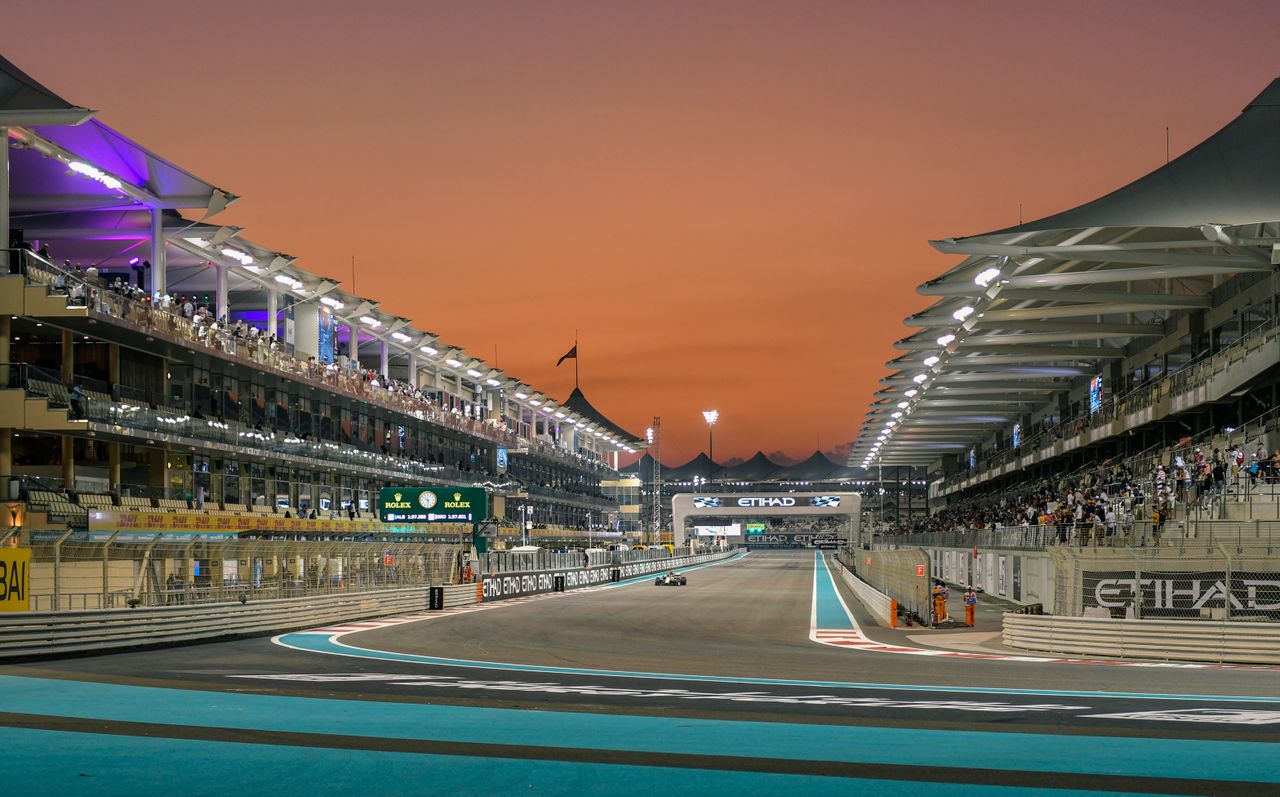
When 52,000 fans pack Lusail International Circuit for the Formula 1 Qatar Airways Qatar Grand Prix from November 27 to 29, 2026, local cell towers hit peak capacity fast. Default international roaming profiles sit at the bottom of carrier traffic queues, leaving your live timing app spinning and your post-race Karwa taxi request stuck on loading.
Installing a dedicated Qatar F1 Grand Prix eSIM before you board your flight to Doha solves both arrival friction and trackside congestion. You skip mandatory passport registration lines at Hamad International Airport and connect directly to local 5G infrastructure the moment your wheels touch the runway.
Why Home Roaming and Airport SIM Kiosks Stall on Race Weekend
During major night events in Lusail, mobile networks actively manage bandwidth to prevent tower blackouts. Subscribers using home carrier roaming passes route their data back through foreign gateways, which increases latency and drops packet priority whenever grandstands fill up for Saturday qualifying and Sunday’s 57-lap Grand Prix.
Waiting to buy a tourist SIM at Hamad International Airport creates a different bottleneck. Local telecom regulations require in-person identity verification with your original physical passport, and digital copies are not accepted. Between race-week flight arrivals and baggage claim queues, kiosk lines easily eat into your Friday practice schedule.
SmartRoam’s live eSIM Planner compares active data packages across 190+ countries so you can install your Qatar profile at home over Wi-Fi. Once you land in Doha, toggle the line on in your phone settings and head straight for the Doha Metro Red Line toward Lusail.
Best Qatar Networks and Manual Switching Tips for Lusail
Qatar operates two Tier-1 mobile networks: Ooredoo Qatar and Vodafone Qatar. Both providers run dense 5G and 4G LTE coverage across central Doha, Hamad International Airport, and the grandstands surrounding Lusail International Circuit.
High-Speed Data Coverage with Simbye
Simbye delivers fast, data-only travel eSIM coverage across 190+ countries, including Qatar. You can activate your QR code before departure, keep your primary SIM active for incoming verification texts, and enter promo code SMARTROAM15 at checkout for 15% off your plan.
Multi-Network Data Bundles via MobiMatter
If your race trip includes a stopover in Dubai, Abu Dhabi, or Bahrain, MobiMatter offers flexible Qatar and GCC regional data-only eSIM packages. Enter promo code SMARTROAM at checkout to earn cashback rewards on eligible bundles.
Traveling with Family or Multiple Devices?
Tethering your laptop or buying four separate phone eSIMs drains batteries and runs up costs. The Linklan LA7 Open Pocket Wi-Fi connects up to 16 devices on an independent 5,000mAh battery (12+ hours runtime) using any low-cost travel eSIM profile.
How to Switch Local Networks Manually Trackside
Even strong 5G networks experience localized pocket congestion near Turn 1 or the Main Grandstand right after the chequered flag. If your data slows down, switch between Ooredoo Qatar and Vodafone Qatar manually on a multi-network eSIM:
- On iPhone: Open Settings, tap Cellular or Mobile Service, select your travel eSIM, tap Network Selection, turn off Automatic, and choose Ooredoo or Vodafone Qatar from the list.
- On Android: Open Settings, tap Connections or Network and Internet, select SIMs, tap your travel eSIM, toggle off Automatically Select Network, and pick the stronger local carrier.
| Connectivity Option | Airport Setup Time | Trackside Priority | Best Use Case |
|---|---|---|---|
| Pre-Trip Travel eSIM | Instant (activated before flying) | High local 5G/4G routing | Immediate Doha Metro transit, F1 live timing, and post-race rideshares |
| Airport Tourist SIM Kiosk | 20 to 45 minutes in passport queues | High local 5G/4G routing | Travelers needing a local Qatari +974 voice number |
| Home Carrier Roaming | Zero setup | Low (routed via home gateway) | Light emergency messaging only |
| Public Venue Wi-Fi | Portal login required | Unpredictable under crowd load | Downloading offline maps inside your hotel before heading to the track |
Check Phone Compatibility and Keep Your Group Connected
Before purchasing any digital plan, confirm that your smartphone is carrier-unlocked and supports eSIM profiles. Run a quick check below to verify your handset model.
Is Your Phone eSIM Ready?
Select your device manufacturer and model to verify hardware and carrier compatibility.
Open your phone dialer and dial *#06#. If a 32-digit EID number or barcode appears on screen alongside your IMEI, your device hardware contains an eSIM chip. Ensure your device is carrier-unlocked before purchasing.
Sharing a phone hotspot with friends or uploading high-resolution race videos all evening drains your battery before the podium ceremony even starts. If you travel with family, carry a work laptop, or use a carrier-locked phone, pack the Linklan LA7 Pocket WiFi. Its built-in eSIM slot connects directly to Qatari 5G/4G networks and shares stable Wi-Fi across up to 10 devices without overheating your smartphone.
Qatar F1 Grand Prix Connectivity FAQs
Can you access your F1 tickets and Doha Metro shuttle pass if data slows down?
Save your digital Qatar Grand Prix tickets to Apple Wallet or Google Wallet and take screenshots of your QR codes before leaving your hotel. Your valid race ticket also grants complimentary access to the Doha Metro Red Line and the official event shuttle buses between Lusail QNB Metro Station and the circuit gates, so keeping an offline wallet copy guarantees entry even during peak crowd surges.
How do you book a Karwa taxi or Uber in Doha with a data-only eSIM?
Download and verify both the Karwa Taxi app and Uber before leaving home while you can still receive SMS verification codes on your primary SIM. In Qatar, both apps work smoothly over a data-only eSIM, and drivers message you directly inside the app chat rather than calling an international phone number.
Should you rely on public Wi-Fi at Hamad International Airport or Lusail?
Complimentary Wi-Fi at Hamad International Airport works well for messaging your driver or downloading a last-minute eSIM profile, but open public hotspots expose your traffic on shared networks. Switch to your encrypted cellular eSIM connection whenever you log into banking apps, ticket portals, or payment wallets.
Affiliate Disclosure: SmartRoam may earn a commission when you purchase eSIM plans or travel hardware through links and promo codes on this page, at no extra cost to you.
Leave a Reply